
Raiders + Allegiant Stadium
Raiders Football Club, LLCSports
4.21.90K Reviews
- Version
- 2.2.7
- Installs
- 500.00K
- Age Rating
- Everyone
Screenshots
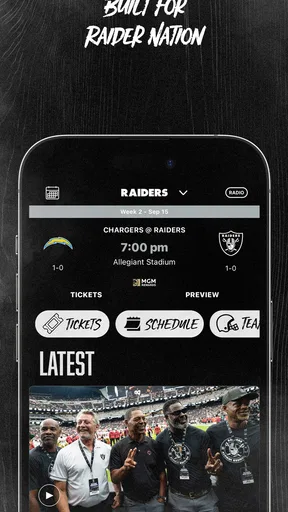
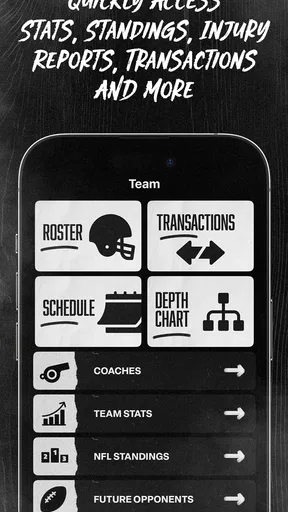
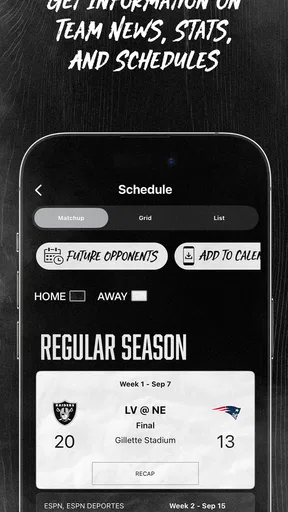
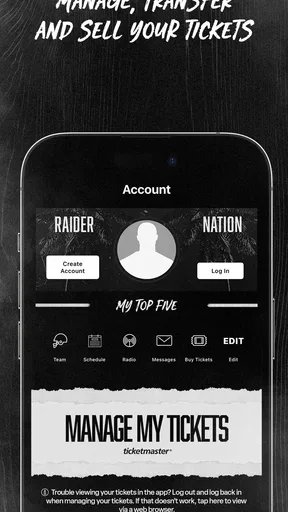

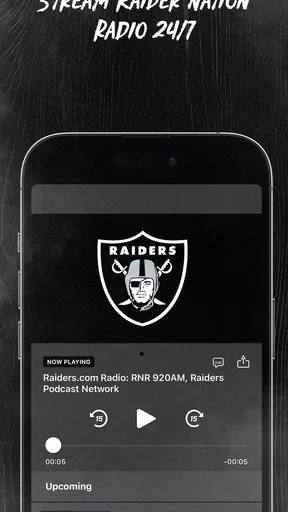
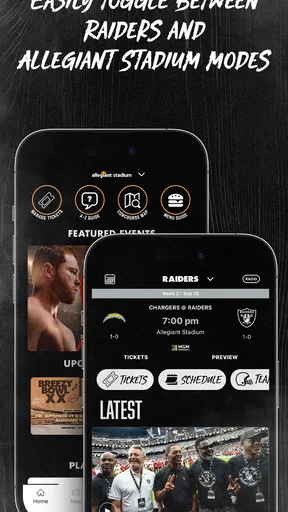
Our Review of Raiders + Allegiant Stadium
 Analysis by Appyee
Raiders + Allegiant Stadium is a free sports app built around the Las Vegas Raiders and their home venue. I found it most useful as a focused companion for fans who want team and stadium content in one place, rather than as a broad sports hub covering every league or club. Its appeal comes from that narrow focus: the app keeps the Raiders identity and Allegiant Stadium at the center instead of trying to become a general-purpose sports platform.
The app is developed by Raiders Football Club, LLC and is available for Everyone. It has been around since Apr 30, 2015, and the current release is version 2.2.7 for operating systems starting with 10. With over 500 thousand installs, it has clearly reached a substantial fan audience. Its average score sits at 4.2 from around 8.5 thousand ratings, alongside roughly 1.9 thousand written reviews, which suggests a generally positive reception with enough user feedback to reveal that the experience is not perfect for every fan.
What the free app actually offers
The most important point for deciding whether to try it is simple: the app is free. I did not treat that as a promise of unlimited value, though. Free access makes it easy to install and explore, but the real question is whether its team-and-stadium focus gives you something useful beyond the usual phone browser, social feeds, or a general sports app.
In my experience, the answer depends heavily on how closely your interests follow the Raiders. If you mainly want a dedicated digital space connected to the team and Allegiant Stadium, the app feels more purposeful than opening a generic sports service and searching for the Raiders every time. If you follow several teams, leagues, or sports, its narrow scope becomes less attractive because it does not replace a wider scoreboard or news tool.
The store summary points to Team and Stadium Modes, while the short description pairs the Raiders with Allegiant Stadium. That combination matters because the app is not presented as only a team identity app or only a venue guide. I approached it as two related experiences: one for following the club and another for engaging with the stadium-oriented side. Switching between those perspectives is likely to be most worthwhile for people who care about both the football organization and the place where it plays.
The strongest value is concentrated attention, not breadth. A general sports app may give you more competitions, scores, and teams, but it can also bury the Raiders among everything else. This app makes a different trade: less variety in exchange for a more dedicated Raiders-and-Allegiant-Stadium experience.
How I would use it before a game
A realistic everyday scenario is preparing for a game while commuting or waiting for friends. I would open the app to move between the team-focused and stadium-focused areas, checking the information that is relevant to the day rather than jumping between unrelated sports pages. That makes the app especially suitable for a fan who already knows the matchup and wants a more direct connection to the Raiders environment.
There is also a useful distinction between casual and committed use. A casual fan may open it occasionally when the team is on their mind, then leave it installed because it costs nothing. A committed fan is more likely to return repeatedly, especially when the stadium side is as important to them as the team side. The app’s value therefore grows with personal connection; it is not the kind of download I would recommend simply because someone likes sports in general.
One practical tip is to decide which mode you expect to use most before making the app part of your routine. If your main goal is team attention, start there and avoid treating the stadium material as a replacement for a complete game-day information service. If Allegiant Stadium is central to your interest, spend time with that side first and judge whether it adds enough context to justify keeping a dedicated app on your phone.
Where it differs from ordinary sports alternatives
General sports apps are usually better when the priority is comparison. They can put multiple games, teams, and competitions next to each other, which is convenient for someone checking an entire day of sports. A browser search is often better for one-off questions because it requires no dedicated installation. Social platforms can also feel faster for conversation and reactions.
Raiders + Allegiant Stadium makes more sense when the priority is identity and focus. Instead of repeatedly filtering a broad service down to one club, you begin with the Raiders and the stadium already attached to the experience. That is a meaningful advantage for fans who dislike clutter, but it is also the central limitation: people looking for broad coverage will still need another app or website.
I would not install this expecting it to become my only sports tool. I would use it alongside a broader service if I followed other teams or wanted wider live coverage. Its role is more specialized, and that specialization is either the reason to keep it or the reason to skip it.
Small workflow choices that improve the experience
One non-obvious benefit of a dedicated team app is reduced searching. When I use a broad sports platform, I often spend time moving through league menus, news tabs, and unrelated alerts before reaching the club I care about. Here, the starting point is already focused. That saves only a little time per session, but the difference becomes noticeable when I check the app briefly several times.
A second useful approach is to separate “fan browsing” from “practical planning.” The team mode is naturally suited to staying connected with the club, while the stadium mode invites a different mindset: understanding the venue as part of the Raiders experience. Keeping those purposes separate prevents disappointment if you expect one screen to answer every team and venue question at once.
A third trade-off is that a focused app can feel more personal without necessarily being more complete. The Raiders branding and Allegiant Stadium connection give it a clear identity, but identity alone does not guarantee that every user will find a reason to return. I would judge it after several short sessions rather than after one quick launch. The right test is whether the two modes fit something you already do, not whether the opening screen looks appealing.
What may frustrate some users
The first limitation is scope. Someone who wants a single destination for football across many teams may find this app too restricted. It is also not the best match for a person who wants a neutral sports interface without club-specific presentation. The app’s purpose is tied closely to the Raiders and their stadium, so users outside that audience may run out of reasons to open it.
The second limitation is the possibility of overlap with tools you already use. If your phone already has a preferred sports app for scores and a browser workflow for venue information, this download may feel like an extra layer rather than a replacement. Free access removes the financial risk, but it does not remove the cost of storage, attention, or managing another app.
The rating of 4.2 is encouraging, but I would read it as evidence of a solid overall experience rather than a guarantee that every feature will suit every fan. The written feedback count is large enough to show that people have engaged with the app, yet a rating in this range also leaves room for uneven expectations. Some users may want a richer sports service, while others may value the dedicated Raiders presentation more highly.
Another point is platform compatibility. The current release requires operating system 10 or later. Before planning to use it on an older device, I would check the phone’s software version. This is a small step, but it avoids the common frustration of discovering compatibility problems only after deciding that the app should be part of a game-day routine.
Who receives the most value
I think the best audience is a Raiders fan who wants a free, dedicated app and is also interested in Allegiant Stadium. That person benefits from the focused subject matter and is more likely to use both sides of the experience. The app is also a sensible low-risk download for a casual supporter who wants to explore the official team-and-venue connection without paying for access.
It can work well for someone who is new to following the Raiders too. The narrow focus gives a newcomer a clear place to begin, rather than forcing them to learn a large sports platform first. I would still pair it with a broader source if that person needs league-wide context, because a dedicated club app is not the same as a complete guide to the sport.
Fans who care primarily about Allegiant Stadium may also find a reason to keep it, particularly if the stadium mode is the part they return to. The important qualification is that the app should be evaluated as a companion, not assumed to replace every practical planning resource. For detailed travel, ticketing, or event questions, I would still verify information through the appropriate current channels before making plans.
On the other hand, I would tell a multi-team sports follower to skip it unless the Raiders have a special place in their routine. The same goes for users who want advanced statistical analysis, broad live coverage, or a single dashboard for many sports. A general sports app will probably deliver more value in those cases, even if it feels less personal.
Is free access enough to make it worthwhile?
Because the app is free, the value calculation is straightforward: there is no purchase price to recover, so the main question is whether it earns space on your device. For a Raiders supporter, trying it costs little beyond download time and attention. That makes experimentation reasonable, especially if the team-and-stadium combination matches your interests.
Free does not automatically mean essential. If the app duplicates everything you already get from a browser, social feed, or general sports service, its practical value may be limited. I would keep it only if the focused presentation makes checking Raiders and Allegiant Stadium information easier or more enjoyable. Otherwise, uninstalling it is a sensible choice rather than forcing it into a routine.
I also appreciate that the app’s value can be judged without committing money. Paid sports products need a stronger case before installation, while this one can be tested during ordinary use: a quick check before a game, a moment of team browsing, or an exploration of the stadium mode. That trial-based decision is the fairest way to assess it because the benefit is personal and depends on how often you want this specific content.
My recommendation after using it
I recommend Raiders + Allegiant Stadium to Raiders fans who want a dedicated free app with a clear connection between the team and its home venue. The combination gives it more character than a basic team bookmark, and the two-mode structure offers a useful way to approach the experience from either the club or stadium angle.
I would not recommend it as a universal sports replacement. People who follow many teams, need extensive league coverage, or already have a highly effective sports workflow will probably get more from their existing tools. The app is best understood as a focused companion, not a complete sports command center.
My final verdict is to try it if the Raiders are one of the teams you actively follow and Allegiant Stadium interests you. Since it is free and rated positively by a sizeable audience, the downside of testing it is modest. Keep it if its focused modes save you time or add something enjoyable to game-day browsing; skip it if you need breadth more than team identity. For the right fan, its value comes from being specific, accessible, and centered on one football world rather than trying to cover everything.
Verdict
Strengths of Raiders + Allegiant Stadium
- Official Raiders and Allegiant Stadium updates in one app
- Convenient access to event information and venue details
- Useful for checking schedules, news, and team announcements
- Helps fans stay connected before and during game days
- Free to download for Raiders supporters and visitors
Limitations of Raiders + Allegiant Stadium
- Some features may only be useful to Raiders fans
- Event details can change and require frequent app updates
- Performance may vary on older Android or iOS devices
- Could use more personalized content and notification controls
- Venue information may not replace official event policies
Similar Picks in This Category
View All
BeSoccer: Soccer Live Score
BeSoccer apps4.3

Cricbuzz - Live Cricket Scores
Cricbuzz.com3.7

NFL
NFL Enterprises LLC2.4

Da Fit
MO YOUNG LIMITED3.6

ESPN
Disney4.5

LiveScore: Live Sports Scores
LiveScore Limited4.5
Frequently Asked Questions
What is Raiders + Allegiant Stadium, and what can I use it for?
Raiders + Allegiant Stadium is the official mobile companion for Las Vegas Raiders fans and visitors to Allegiant Stadium. After installing it, you can typically use the app to follow team news, view schedules and game information, manage or access eligible tickets, receive stadium updates, explore event details, and find useful venue information. Available features may vary depending on the event, ticket type, device, and your location.
Can I use the app to access my Raiders or Allegiant Stadium tickets?
For many eligible events, the app can provide mobile ticket access through an account connected to your Raiders, Ticketmaster, or stadium ticketing profile. Before attending, sign in with the same credentials used to purchase or receive the tickets and make sure the ticket barcode is available. It is wise to open the ticket before arriving, keep your phone charged, and check the event instructions because screenshots or transferred tickets may not be accepted.
Does Raiders + Allegiant Stadium provide directions, parking, or stadium information?
The app is designed to help visitors prepare for events at Allegiant Stadium, so it may include venue maps, entry information, parking guidance, transportation details, policies, and other fan services. These details can change according to the event, traffic conditions, construction, or security requirements. I recommend checking the app shortly before leaving and following official instructions rather than relying only on saved or outdated information.
Does the app work without an internet connection?
Some basic information may remain visible after it has been loaded, but Raiders + Allegiant Stadium should generally be used with a reliable internet connection. Live scores, updated schedules, ticket synchronization, event notifications, maps, account functions, and venue changes may require mobile data or Wi-Fi. If you are attending an event, load your tickets and essential details in advance, since cellular service can become slow when thousands of fans arrive.
Is Raiders + Allegiant Stadium free, and which devices support it?
The application is generally available as a free download, although attending a Raiders game or another Allegiant Stadium event still requires the appropriate ticket, and some purchases or services may be handled separately. Compatibility depends on the current Android or iOS requirements published in the relevant app store. Keep your operating system updated and review permissions, privacy information, and account requirements before installing.
